Know your total
before the checkout line.
Build your list, set your prices, and watch your total as you shop — everything stays on your phone.
How it works
3 steps · no setupName your list, hit go
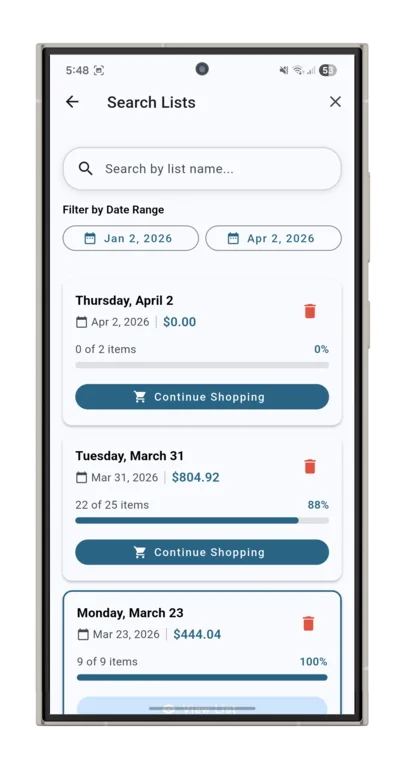
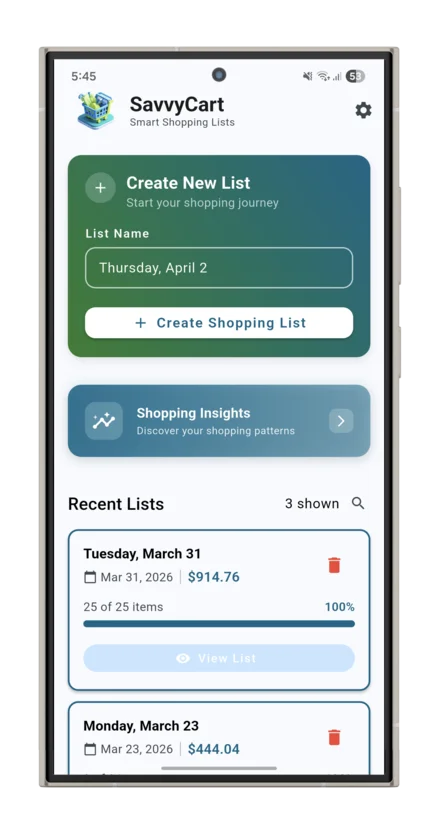
A "Create New List" card greets you on launch with today's date pre-filled. One tap and you're in — no setup, no account.
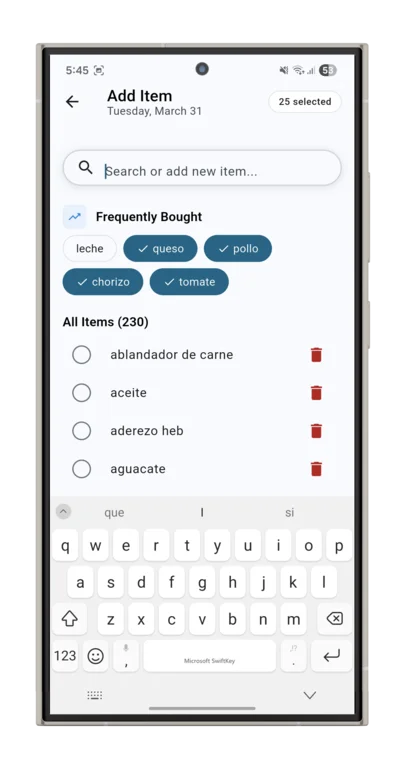
Pick from your history
Your most bought items appear as quick-tap chips. Your full item catalog is right below — prices from last time already filled in.
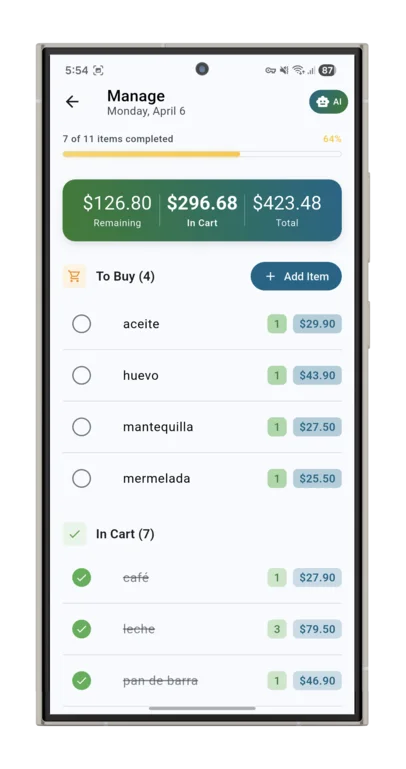
Three numbers, zero surprises
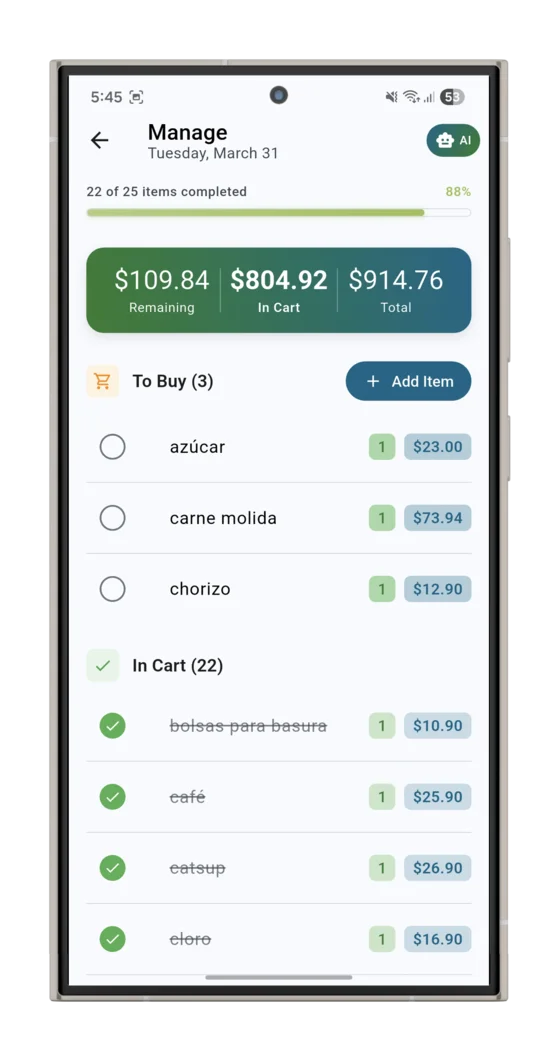
Check items off as you shop. The live banner tracks what's in your cart, what's left to grab, and your running total — all at once.
What's in the app
4 line items · all includedPrice tracking,
over time
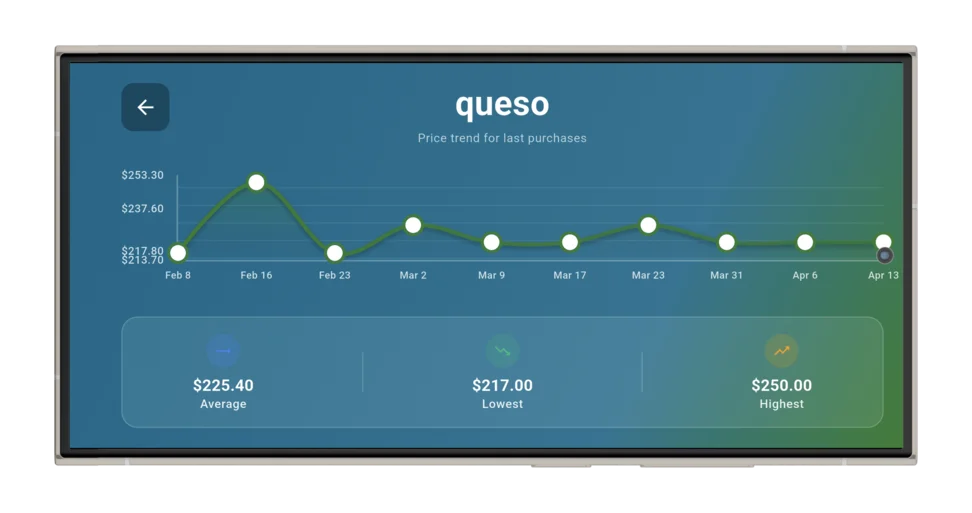
Every item remembers its last price and shows the trend as a graph. New lists auto-fill what you paid last — no re-typing, just shopping.
Weekly insights
at a glance
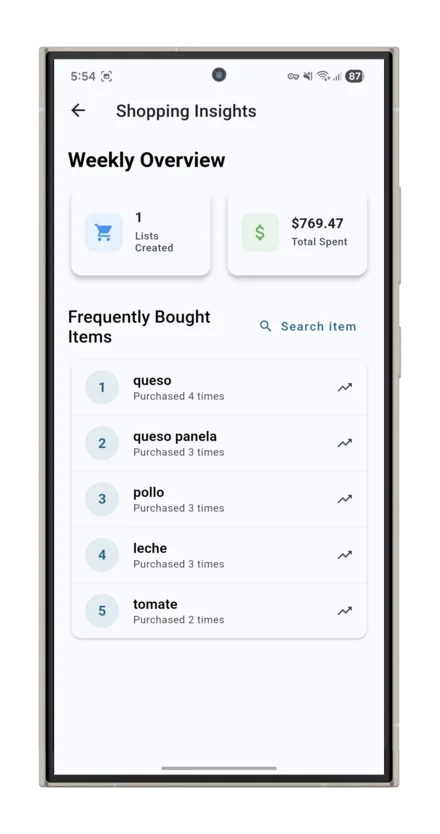
Lists created, money spent, and your most frequently bought items — all in one weekly overview. See exactly where your budget goes.
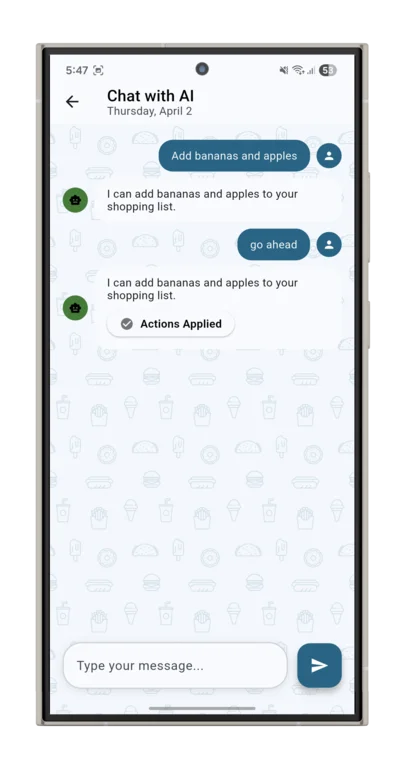
Chat with
your list
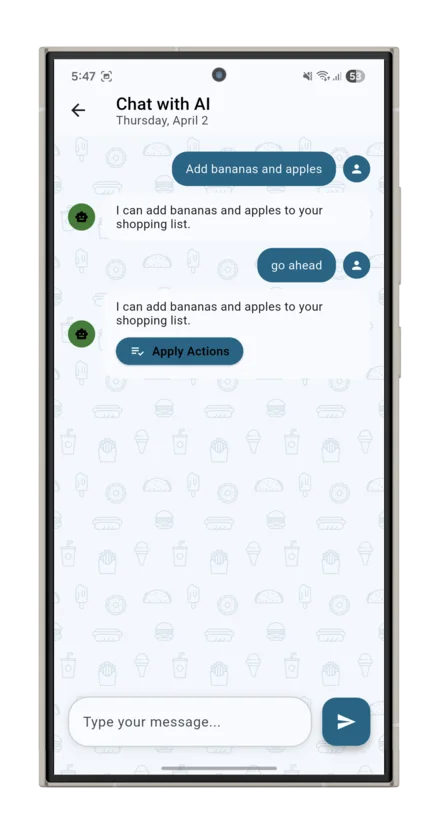
"Add everything for tacos." "What did I spend last Saturday?" AI helps you manage the list hands-free — review every suggestion before it's applied.
100% offline.
Zero tracking.
No sign-up, no account, no data collection. Everything lives on your phone — and nowhere else. No internet required, ever.
See it in action
← swipe →